How-to
Claude Code as a WordPress operator
What a run through ReDock's door looks like in the recorded transcripts: one consent, a first draft, the exact refusals, and the log.
Claude Code connects to ReDock Web the way any MCP client does, through one door at app.redock.xyz/mcp, and from then on it can list a workspace’s sites, read them, and change them at the level a person approved. This post walks through what that looks like, built from the transcripts the build kept rather than from a demo we wish we had.
A word on those transcripts first. They are the build’s own tests: a raw MCP client, ReDock Desktop’s own connector client, and a harness that sent the same calls through the door and through the desktop app and compared the answers, all against throwaway WordPress sites on a test rig. No chat session with Claude Code is in them. But the door does not know which client is on the other side; the consent screen itself says ReDock has not verified who is behind an app’s name. What those clients met is what Claude Code meets. Every quote below names its transcript and date.
Step 1: connect, and approve once
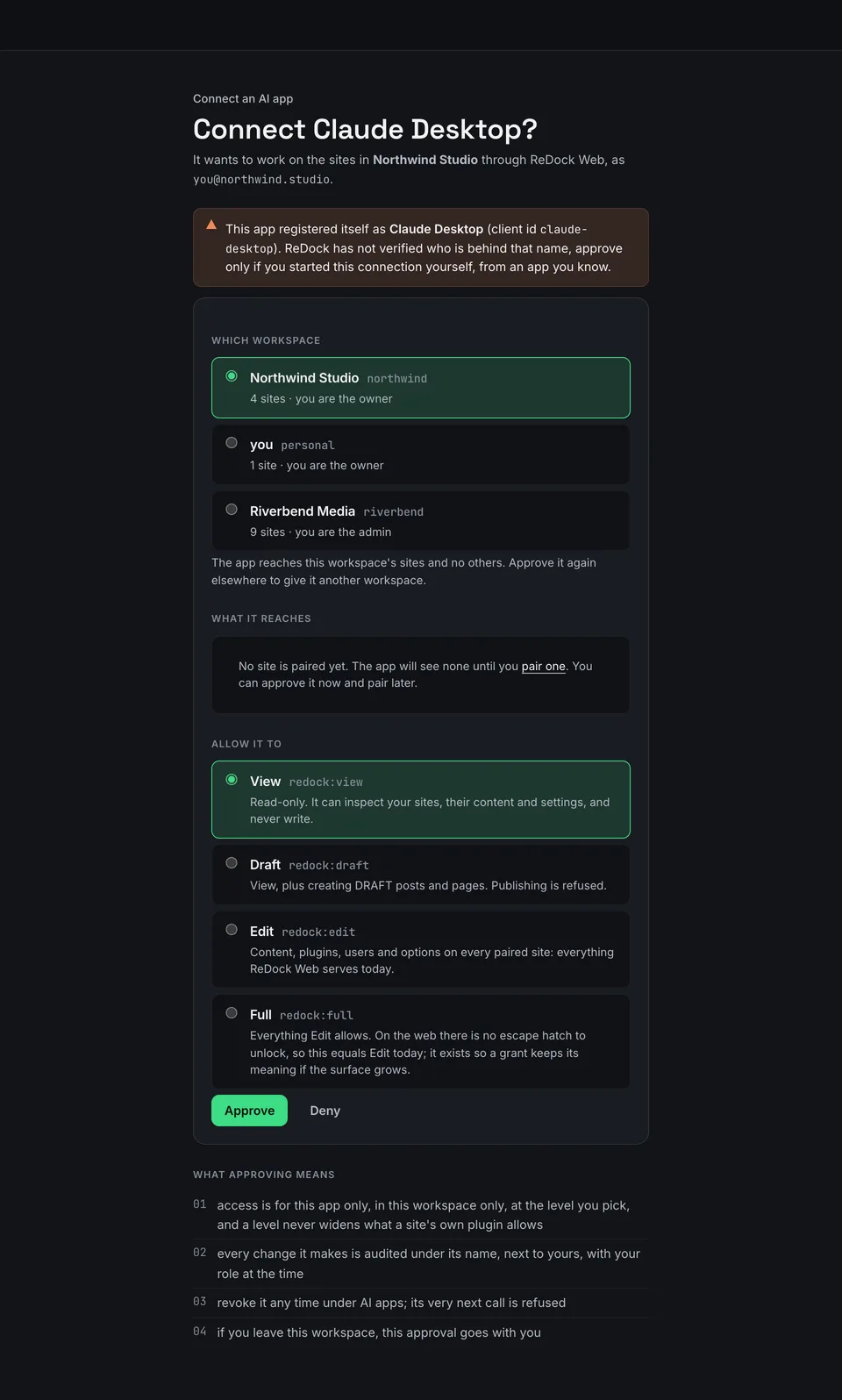
Adding the door to Claude Code starts a standard sign-in. The door transcript of 2 September 2026 records the sequence from the client’s side. The first call went out without credentials and came back as a 401 naming where the door’s metadata lives. The client registered itself and was issued a client id. A browser tab opened on the sign-in page, then on the consent page, which the transcript notes as “client named, View pre-selected: true”. The person approved at the edit level, the tab closed, and the client exchanged its code for a token that “expires in 900 s” with a refresh token behind it.
From where you sit, that is one browser tab and one Approve. The consent page above is where you choose the workspace and the level: View, Draft, Edit or Full.
Step 2: what the client is handed
After the token, the client asked the door what it could do. The same transcript records the answer to the tool list as “18 tools”. The status tool answered with a hint worth reading as an instruction to the assistant: “call list_sites to enumerate, then site_context(site) before any change”. Listing the sites returned “the account’s one pairing” and nothing else.
Step 3: the first change
The first write in that run was a post. The transcript’s line for it reads “create_post through the door: ok, verified content-survival, audit_id”, and the next leg checks from inside the site with WP-CLI rather than trusting the answer: “wp-cli inside the rig sees the post: both text pieces, a draft”. ReDock reads a post back after writing it and reports what survived, and every answer carries an audit id for the log.
Step 4: what was refused, exactly
The parity run of 3 September 2026 sent 136 scenarios through both the door and the desktop app: 125 matching answers, 11 expected divergences, no failures. Its refusals are the useful part, because they are what the assistant is told when it reaches for the wrong thing.
- At View level, a write is refused. A post created on a view-only grant came back with the code
TIER_GATEDand the detail “your remote grant isview(read-only)”, followed by “ask the endpoint owner for a higher permission level to make changes”. - At Draft level, publishing is refused. The detail reads “a
draftgrant cannot createpublishcontent”, then “publish is refused remotely; omitstatusor pass “draft”“. - A delete needs a confirm flag, every time. Without it: “
confirm: trueis required”, then “this deletes plugin files on a LIVE site”. Updating every plugin and writing to the database ask the same way. - A write through the read tool is refused by the site itself. An UPDATE sent as a query came back from the plugin as “that is a write” and “use db_write”.
- Arbitrary code is never offered. The answer to a
php_evalcall: “arbitrary code against a live site is not a thing ReDock Web offers, at any permission level”. Reading and writing the site’s files is refused the same way, on both products, for any site ReDock does not host. - A site outside the workspace does not exist. Naming one returned “no site resolves to
nope.example(pass a site id or domain)”, with the list of sites that do.
The door transcript adds two more. A stranger with a valid token of their own, naming the site by id, host and URL, got SITE_NOT_FOUND three times and “nothing written”. A site that never answered got two attempts, then a retryable refusal after 2034 ms: “the site at http://127.0.0.1:47997 did not answer (after 2 attempts: Network connection lost.)”, then “check that it is online and that ReDock Connect is active”.
A second run on 6 September 2026 added the Elementor tools: 172 scenarios, 154 matching, 13 expected divergences and 5 failures, all five in database and option scenarios. The Elementor tools passed.
Step 5: read the log
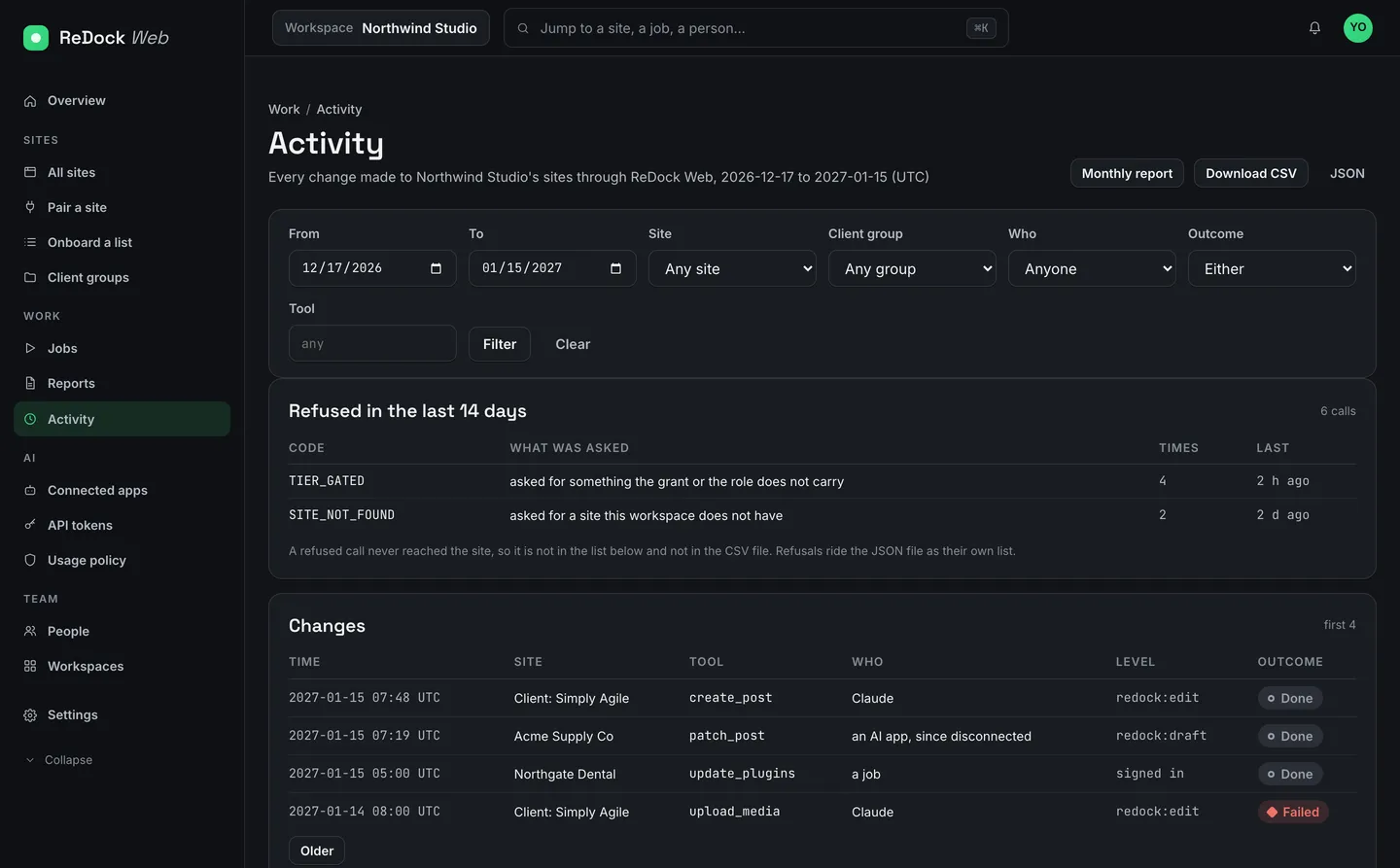
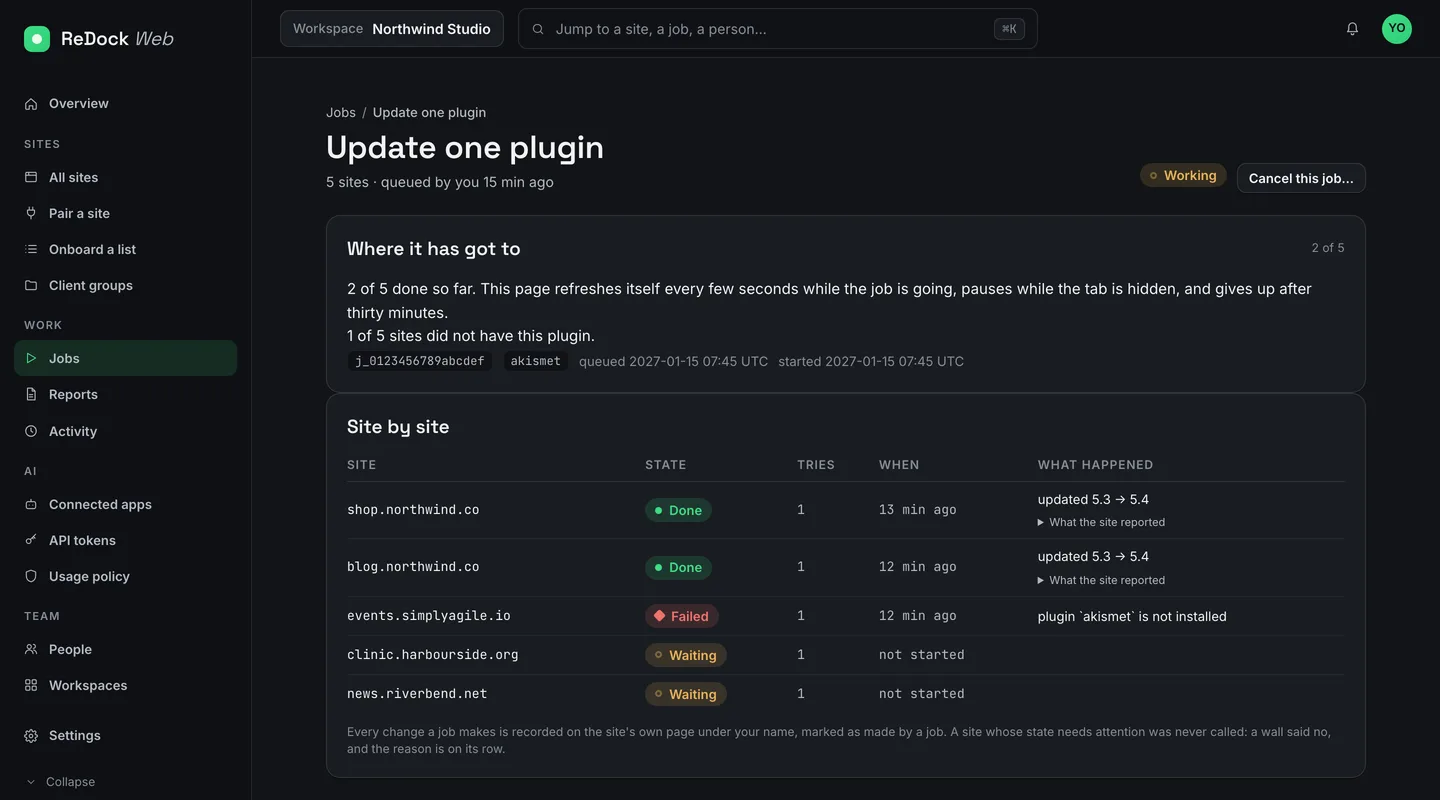
Every change an app makes lands on the Activity page with the site, the tool, who made it, the level at the time and how it ended. The door transcript checks what the audit row carries for an app’s call: the account, the subject, the client id, the grant and the scope. Refusals sit above the changes with their codes. Records are kept for 400 days, and only changes are recorded, never reads.
This is the page to open when a client asks what changed, and the page that shows an assistant reaching for things it may not do before it succeeds at one.
Step 6: revoke, and reconnect
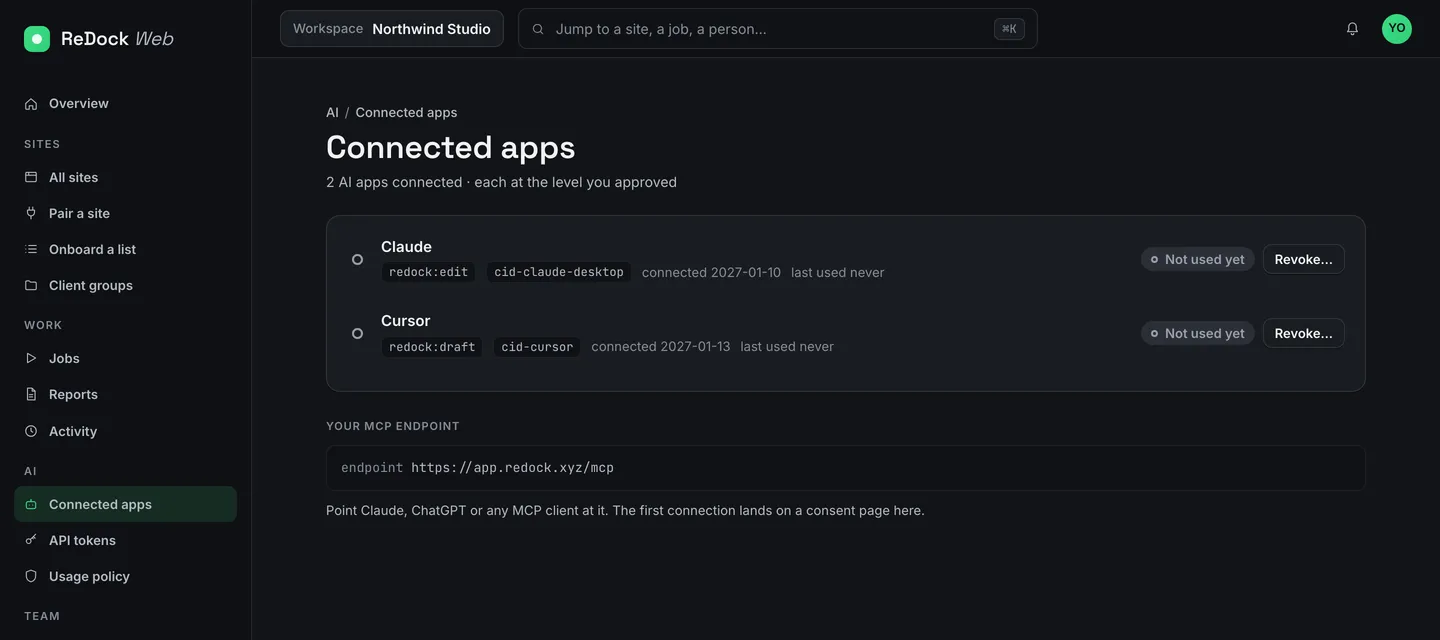
Revoking an app under Connected apps takes effect on its next call. The door transcript records that after the revoke, “the still-valid access token is refused on its NEXT call”, and the note beside it says “revocation bites now, not at the next refresh”. The refresh token dies with it. The grant is marked revoked with a timestamp and kept, so the log still points at it. Reconnecting means consent again; the transcript’s Reconnect leg records “consent asked AGAIN (the grant was revoked), a NEW grant”.
Step 7: give it a place, not a page
To have an assistant change one line on a client’s page, name the line first. In the pinpoint proof of 7 September 2026, a person clicked a paragraph on the live page through a pointing link and saved the place under a name. The proof records that the link “works once”, that the door “wrote nothing” when the place was later asked for by name, and that an element which had changed kind was refused with “Nothing was edited.” A named place is the safest thing you can hand a program.
What we have not run
We have not run ChatGPT through the door. When we do, it gets its own post, written from that transcript. Until then the docs carry the connection steps for each client, and the product page describes the door. One live site is free, so the sequence above can be tried on a site you own: create a workspace, connect Claude Code at View, and raise the level only when the log has earned it.
Questions
Does the door know it is Claude Code?
No. An app registers under a name it chooses, and the consent screen says ReDock has not verified who is behind it. Approve only a connection you started yourself.
What can it do at View?
Read: list sites, plugins, users and media, and read posts, options and settings. Any write is refused with the code TIER_GATED and a sentence telling it to ask the endpoint owner for a higher level.
How do I stop it?
Revoke the app under Connected apps. Its very next call is refused, its refresh token stops working, and its record stays in the log for 400 days.