macOSWindows

ReDock Desktop

A desktop app that runs your whole local web stack in one window.

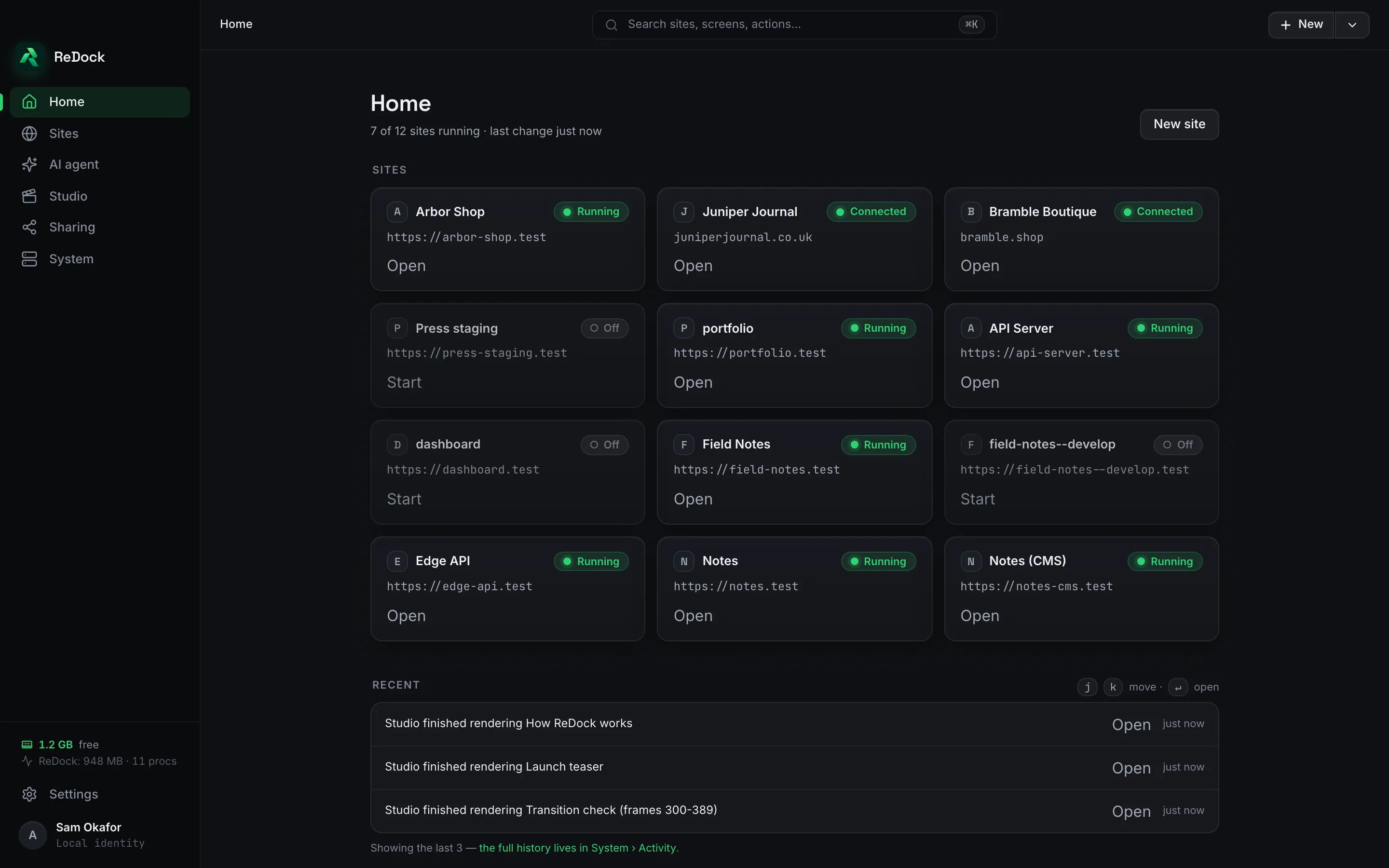
WordPress, n8n, Astro, Node, Bun, PHP, MySQL, PostgreSQL and Redis, each site at its own trusted https://name.test address. No terminal, no Docker, no hosts file. Free, on macOS and Windows.

The ReDock Desktop home screen, a grid of local sites with their https://name.test addresses and a Running or Off state on each
0
terminals, Docker installs or hosts-file edits to make a site
5
model providers, plus a model on your own computer
47200
the loopback port other AI apps reach ReDock on
0
dollars, the price of the app on every plan

A site is a card with an address.

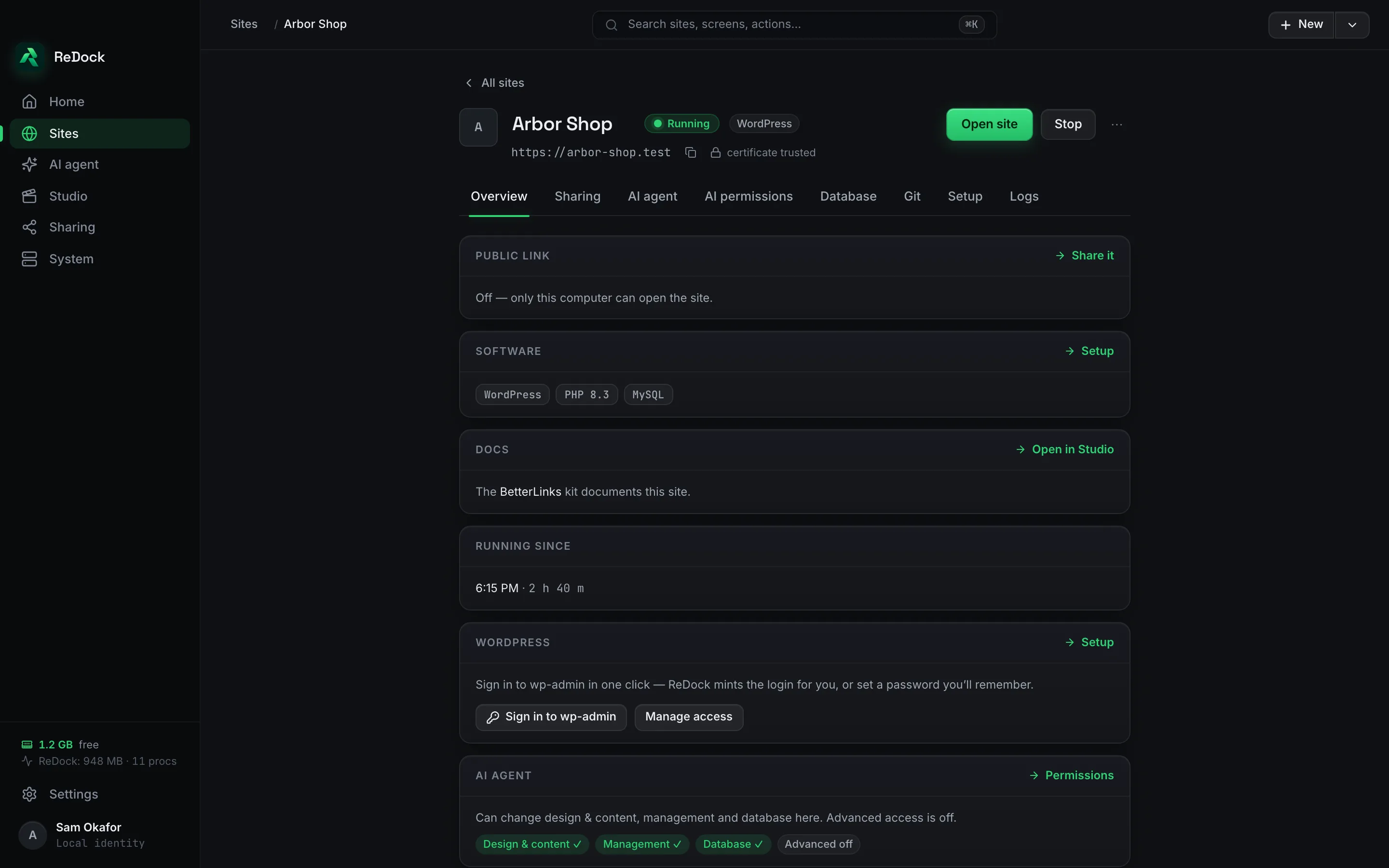
Make a WordPress, n8n, headless or blank site and it runs at its own https://name.test address with a certificate the browser trusts. The address, the runtime versions and the database are on the site's page, and so is a one-press sign-in to wp-admin.

  • PHP, Node, MySQL, PostgreSQL and Redis are installed by ReDock, into ReDock's own folder, and switched per site.
  • Two sites on different PHP versions run side by side.
  • Your system's own runtimes are never touched.
A site's overview page, showing its https://arbor-shop.test address, a trusted certificate, WordPress with PHP 8.3 and MySQL, and a Sign in to wp-admin button

An agent that says what it will do first.

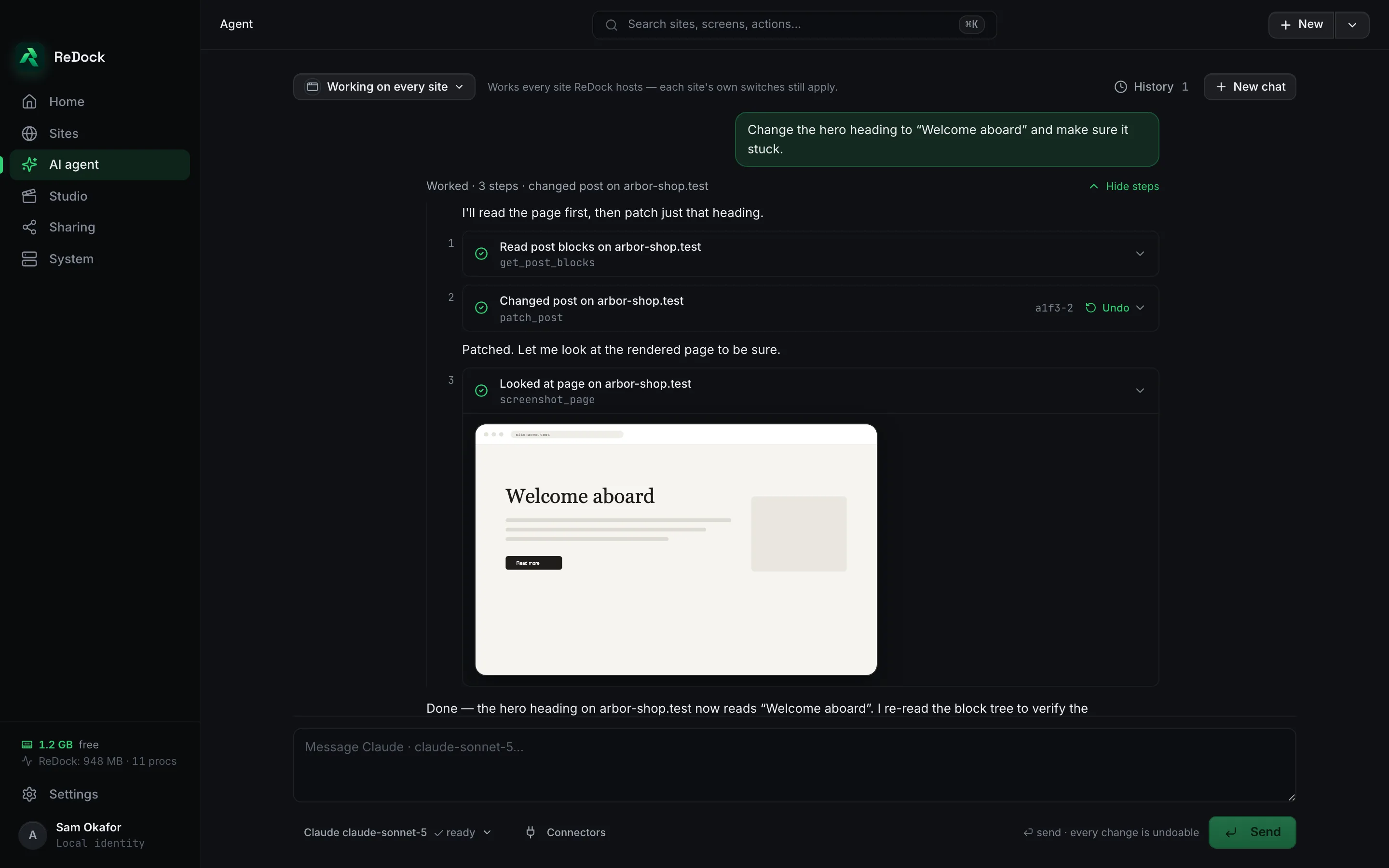
Ask for a change in plain words. The agent reads the page, says which steps it will take, takes them, then looks at the rendered page to check. Every step is listed, every change has an Undo beside it, and the agent runs on your own key from Claude, OpenAI, Gemini, OpenRouter or Groq, or on a Gemma model that runs on your computer.

The AI agent screen, the request to change a hero heading, three numbered steps each with a tick, an Undo on the change, and a screenshot of the rendered page

Every database on this computer, browsable.

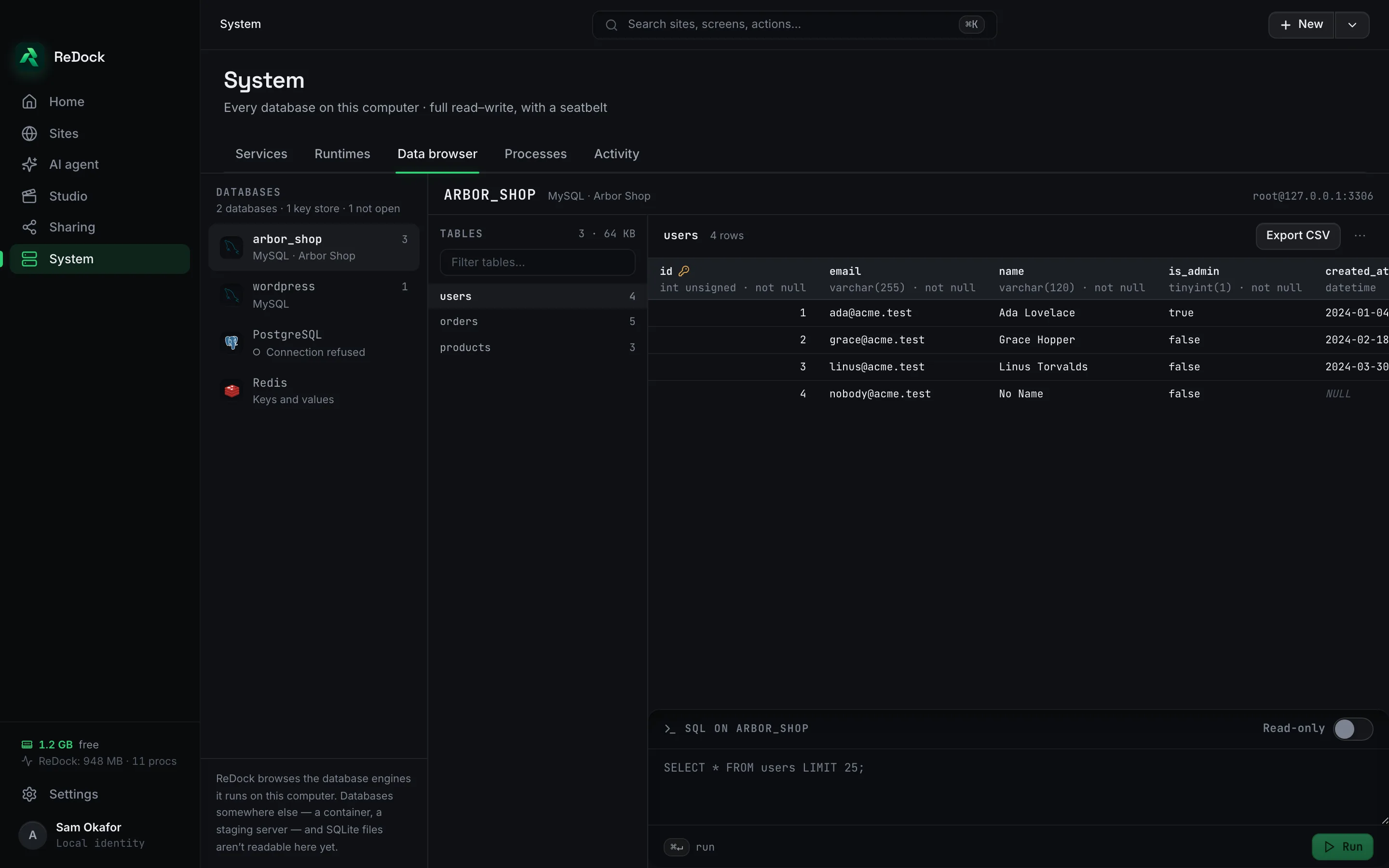
MySQL, PostgreSQL and Redis open in a data browser with tables, rows, column types and a SQL box with a read-only switch. Export a table as CSV. Databases somewhere else are not shown, and the screen says so.

The data browser, a MySQL database with its tables on the left, the users table with typed columns, and a SQL box below

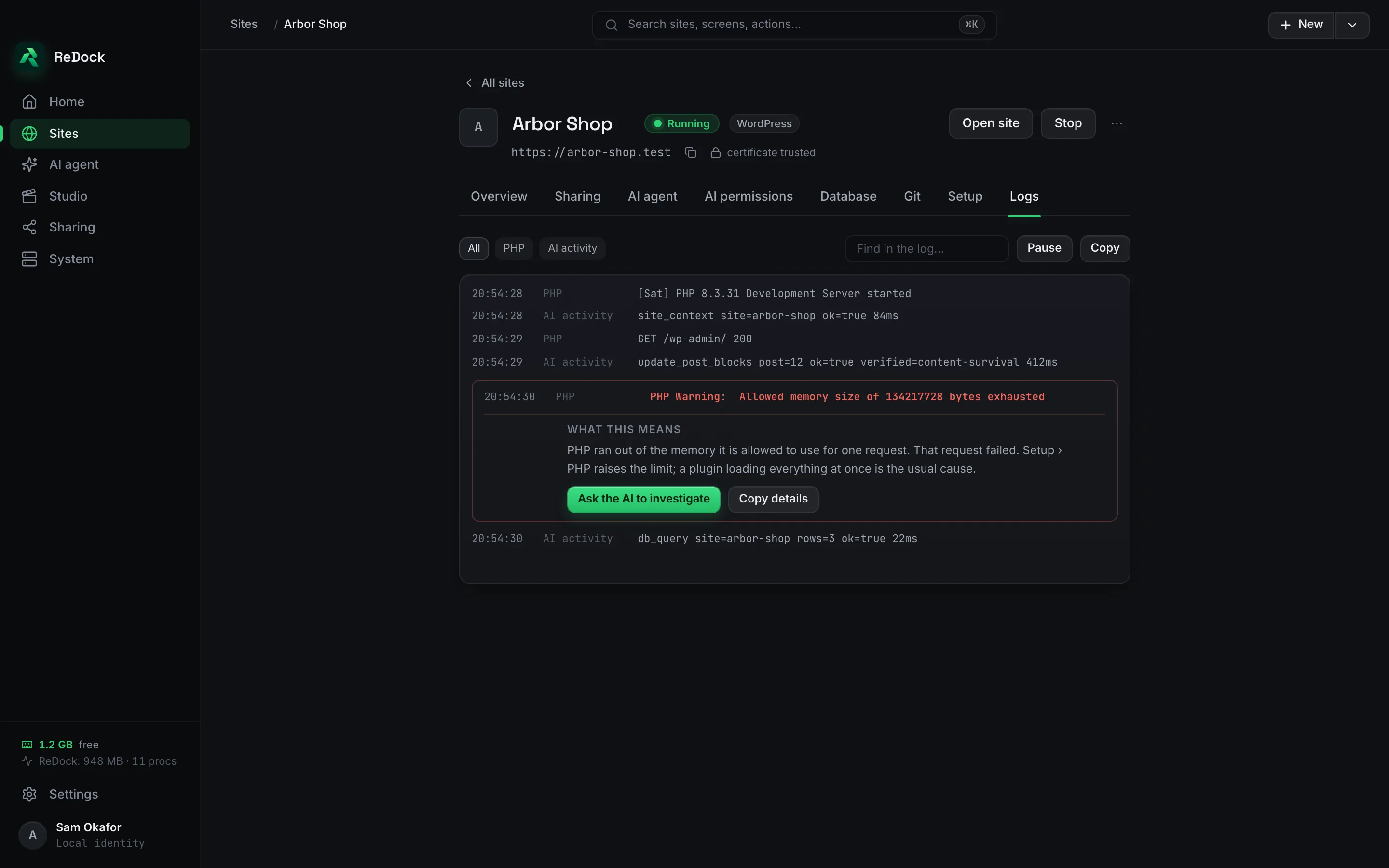
Logs that explain the line you are looking at.

A PHP warning in a site's log comes with a plain sentence about what it means and where the setting is, and a button that hands the line to the agent to investigate.

A site's Logs tab with a PHP memory warning expanded into a plain explanation and an Ask the AI to investigate button

A studio for docs, video and images, on macOS.

The Studio captures documentation from a running site, writes and renders video with Remotion, and makes images with a model on your own computer. It runs on macOS. Sites, the agent, sharing and the MCP server are the same on both systems.

Facts

ReDock Desktop, in a table.

Runs on
macOS 12 or later on Apple silicon, and 64-bit Windows 10 or later
Price
Free. No account and no card.
Stacks
WordPress, n8n, Astro, Node, Bun, PHP, Python, MySQL, PostgreSQL, Redis, headless pairs, Remotion
Agent models
Claude, OpenAI, Gemini, OpenRouter, Groq, or a Gemma model on your own machine
Keys
Kept in the macOS Keychain or Windows Credential Manager
Studio
macOS

Also in the catalogue

Works with

ReDock Web Browser · app.redock.xyz

The dashboard for the live sites a team looks after.

Connect a site, then update plugins across many sites as a job you can watch and cancel, take a snapshot before every update, see who needs attention and why, and write each client's month. One site free, then plans by how many sites you connect.

ReDock Connect WordPress

The WordPress plugin that pairs a live site with ReDock.

Install it on a site you own and the site appears in the dashboard. A key per client, revocable from the site at any time. Paste a list of sites, type a short code on each, and every site delivers its own key.

ReDock Blocks WordPress

The plugin the agent edits pages through, in real blocks.

The agent writes and changes posts and pages as real Gutenberg blocks, so what it makes opens in the editor with no invalid-block warnings. Installed for you, on local sites and on live ones.